New: temperature, fans, power supplies and SSD health per server. View hardware health

Try it free
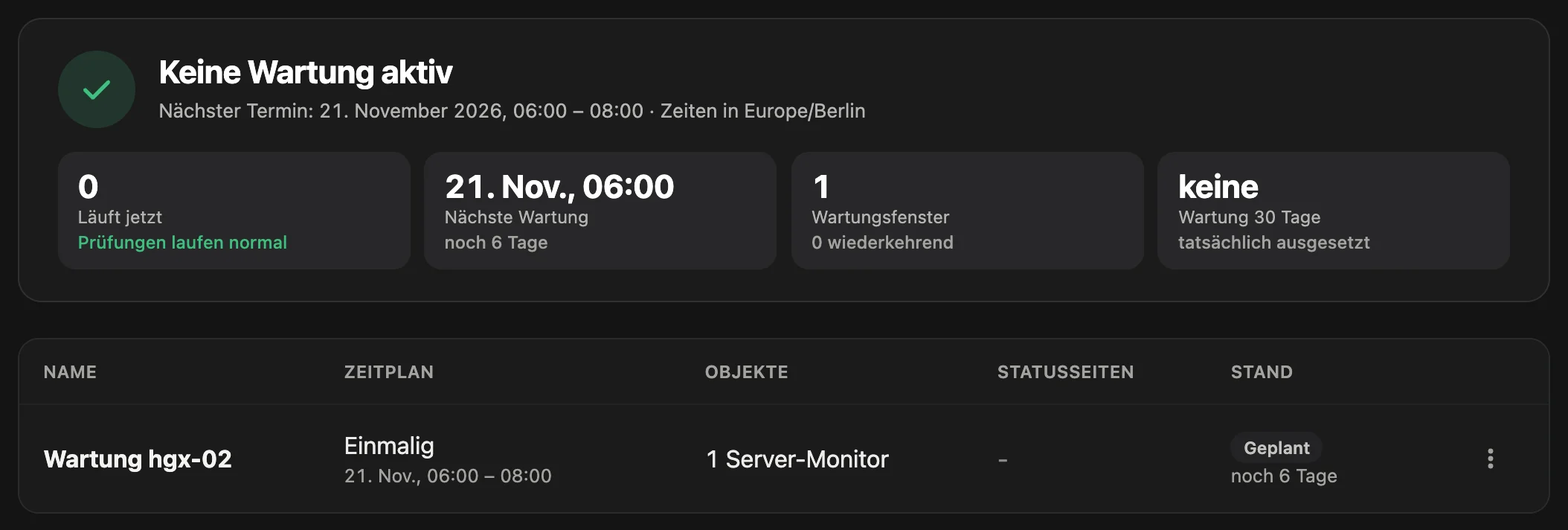
Maintenance windows in the PeakNode portal: header “No maintenance running” with the next date, below the scheduled maintenance window “Maintenance hgx-02” for one server monitor.

If you install updates at six on a Saturday and reboot the server, you do not want an offline alert for it or an incident in your statistics. A maintenance window tells PeakNode which monitors pause and when. Real findings still get through: if a GPU fails during the reboot, you learn about it immediately, not only after the window.

Screenshot from the portal with sample data (German interface).

What is Maintenance windows?

A maintenance window in PeakNode suspends the checks of the selected uptime monitors and heartbeats, including incidents and alerts, during planned work. For server monitors, offline and threshold alerts pause while the agent keeps sending. Hardware events and NodeGuard keep reporting during the window. Windows can be one-off, daily or weekly on selected days, optionally announced on the status page.

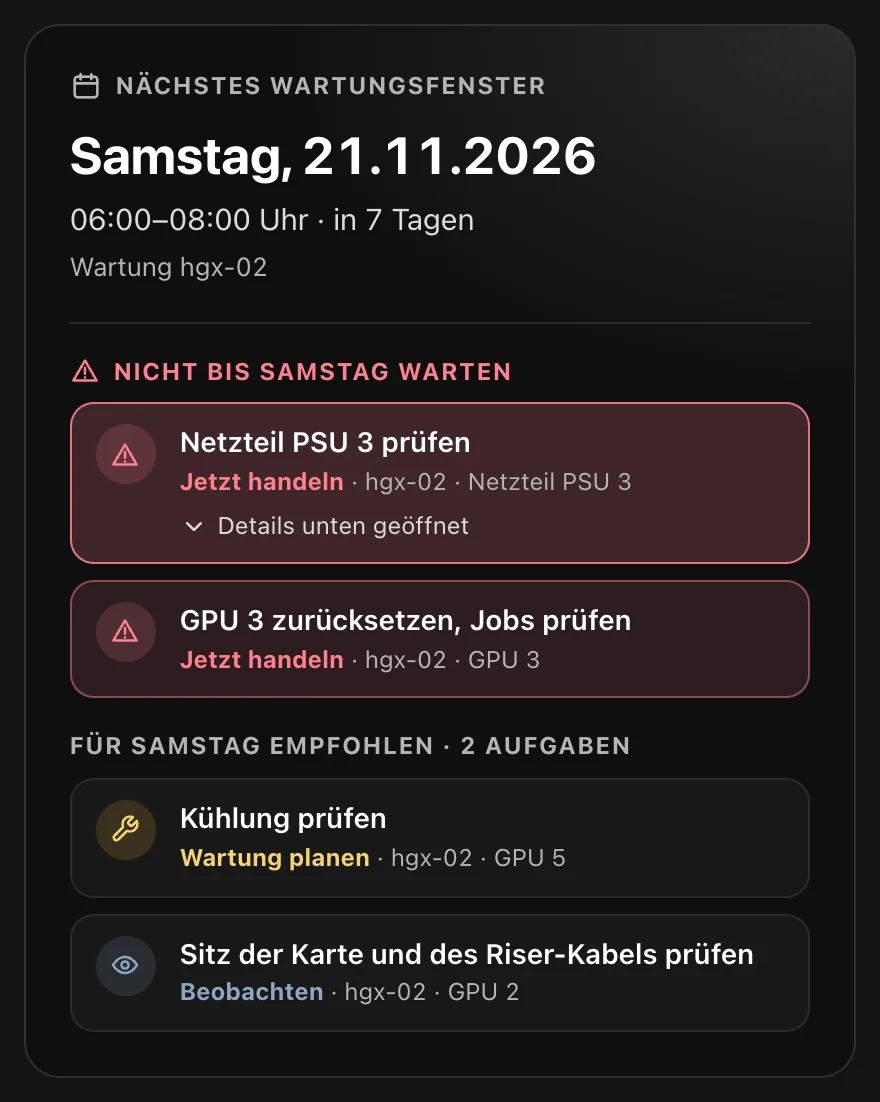
Next maintenance window in NodeCare: Saturday, 21 November 2026, 06:00 to 08:00, with two tasks that should not wait until then and two tasks recommended for that date.
Screenshot from the portal with sample data (German interface).

Maintenance windows in the portal

  • One-off windows last at most 31 days, recurring windows less than 24 hours, also across midnight.
  • Maintenance time is excluded from availability and shown separately in the report.
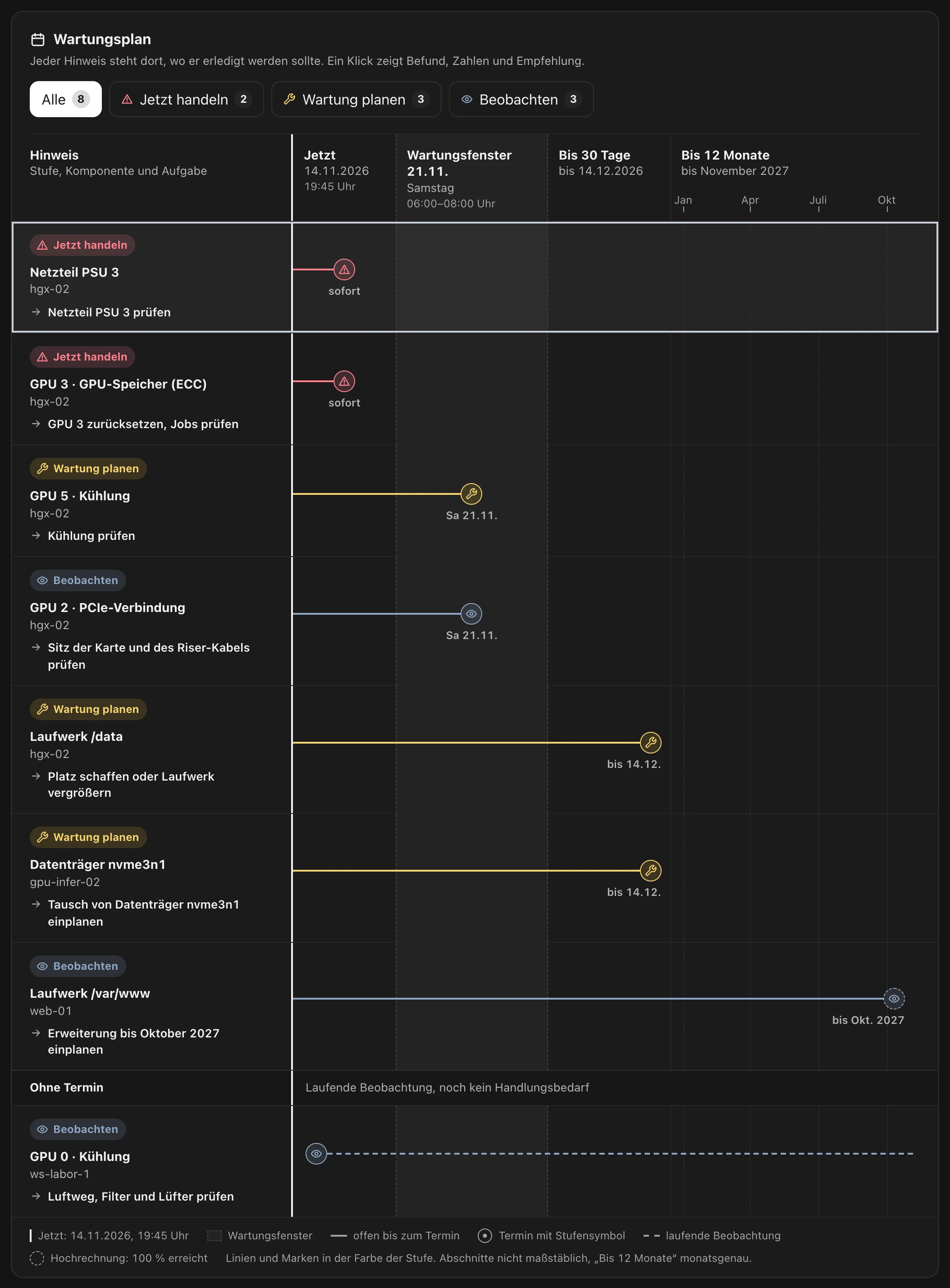
  • NodeCare assigns plannable tasks to the next window that covers the server.

What happens during a maintenance window

A window applies to selected uptime monitors, heartbeats and server monitors, or to all of them, including ones created later.

Once, daily or weekly

A one-off window lasts at most 31 days. Recurring windows run daily or weekly on selected weekdays, are shorter than 24 hours and may span midnight. The time applies in the window’s time zone and stays the same across daylight saving changes.

Uptime monitors and heartbeats pause

During the window PeakNode does not check the selected uptime monitors: no log, no incident, no alert. For heartbeats, a missing signal does not count. The next uptime check runs at the latest when the window ends.

Server monitors keep sending

For server monitors, offline detection and threshold alerts pause. The agent still sends, and the portal stores every report. The offline deadline only starts when the window ends.

Real findings report during the window too

Hardware events and NodeGuard do not pause. An Xid error from the NVIDIA driver after the reboot, a missing GPU or a changed system file get through even during maintenance. The window suppresses the expected alerts of planned work, not the findings that arise during it.

Announcement on the status page

Optionally, status pages that show an affected system display the maintenance as a notice, from 0 to 720 hours before the start until the end. Subscribers of the status page receive one email per scheduled date. Systems under maintenance show “Maintenance” and do not count as disrupted.

A date for NodeCare

For each server, NodeCare looks for the next window that covers it and starts within the next 30 days, and assigns plannable tasks to that date, such as resetting a GPU or checking the cooling. Urgent items are listed above it with the note not to wait for the window.

Maintenance windows in the portal

Example

NameScheduleResourcesStatus pagesState
Kernel and driverWeekly Sat, 06:00 to 08:004 server monitors-Planned
Backup windowDaily 02:00 to 02:301 uptime monitor, 1 heartbeat-Planned
Rack 3 relocationOnceAll resources24 h beforeRunning

Columns and labels as in the portal. A dash under “Status pages” means: not announced.

What pauses during the window and what keeps running

The rules are the same for all windows. What pauses depends only on which resources you assign to the window.

ResourcePauses during the windowKeeps running
Uptime monitorChecks, log, incidents, alertsnothing. The next check runs at the latest when the window ends
HeartbeatExpectation of the signal, incidents, alertsnothing. After the window, interval plus grace period applies again
Server monitorOffline detection and offline alert, threshold alerts on CPU, RAM, swap, drives and GPU valuesAgent sends, reports are stored, online notification on return
Hardware healthnothingXid, ECC, row remapping, missing GPU and driver errors report as usual
NodeGuardnothingall security events report as usual
NodeCarenothingitems keep being created and use the window as their date
Reminder and escalationpause for affected resourcesnothing. If a server is still silent after the window, its outage starts anew, with a new alert
Status pageaffected systems do not count as disruptedshows “Maintenance”, and with an announcement also the notice text

Limits: at most 100 maintenance windows per account, regardless of the plan. The history records when maintenance actually took place and is kept for 400 days, even if you later change or delete a window. Announcements to subscribers are limited to 3 dates per window and 10 maintenance emails per status page in 24 hours.

Set up in three steps

In the portal under “Maintenance windows” or via the API.

  1. Set the period and recurrence

    Enter start and end and choose once, daily or weekly. With “weekly”, start and end only set the time of day; the maintenance begins on the first selected weekday from the date onwards.

  2. Select the affected resources

    Tick individual uptime monitors, heartbeats and server monitors or switch on “All”. “All” also applies to resources you create later.

  3. Announce if needed

    For systems on a status page, switch on the announcement, choose the lead time in hours and enter a public notice text of up to 2,000 characters. 0 hours means: notice only from the start.

Frequently asked
questions about Maintenance windows

Continue to:

What happens during a maintenance window in PeakNode?

The checks of the selected uptime monitors and heartbeats pause, including incidents and alerts. For server monitors, offline and threshold alerts pause while the agent keeps sending. During this time the dashboard shows a “Maintenance running” bar.

Do I still get alerts during a maintenance window?

Yes, for everything that is not an expected consequence of the maintenance: hardware events such as Xid errors, ECC errors or a missing GPU, and all events from NodeGuard. Offline alerts, threshold alerts and the alerts of uptime monitors and heartbeats pause.

Does maintenance count as downtime in availability?

No. Availability counts checks, and none take place during the window. The monitor page and the status page state the excluded duration, and the SLA and monthly report lists it in a separate column.

Can I create recurring maintenance windows, for example every Saturday?

Yes. Choose “Weekly on selected days” and Saturday, plus start and end as times of day. Daily windows are also possible. A time that does not exist in the night of the daylight saving change is rejected by the form instead of being shifted silently.

How do customers learn about planned maintenance?

Through the status page. With the announcement switched on, it shows the maintenance as a notice with your text from the chosen lead time, and subscribers of the page receive one email per scheduled date.

What happens to an open incident when maintenance begins?

It ends when the window starts, without a notification, and is listed as “ended by maintenance”. In this case no recovery was measured, and that is stated as well. If the disruption persists after the window, PeakNode opens a new incident.

Your next maintenance without a false alert

Create an account, set up monitors, create a maintenance window. Maintenance windows are included in every plan.