Your data stays in your network
Host names, internal IP addresses, utilization, processes on GPUs and hardware error messages stay in your network. There is no telemetry to PeakNode and no outbound online license check.
New: temperature, fans, power supplies and SSD health per server. View hardware health
Some policies do not allow metrics in a third-party cloud, and some networks cannot be reached from outside. For both cases, PeakNode is available as an installation package for your data center or private cloud. All data stays in your network, with no limits on monitors, GPUs, users or retention period.
Example: 6 GPU servers with 29 GPUs, height by utilization. Can be rotated with the mouse.
PeakNode On-Premise is the PeakNode monitoring platform as an installation package for your own web server: portal, database schema, agent scripts and updates. The software runs in your data center instead of at the provider and sends no usage data outside (no telemetry, no online license check). There are no limits on servers, users, status pages or retention period, and internal addresses are checked directly. NodeCare and NodeGuard are included.
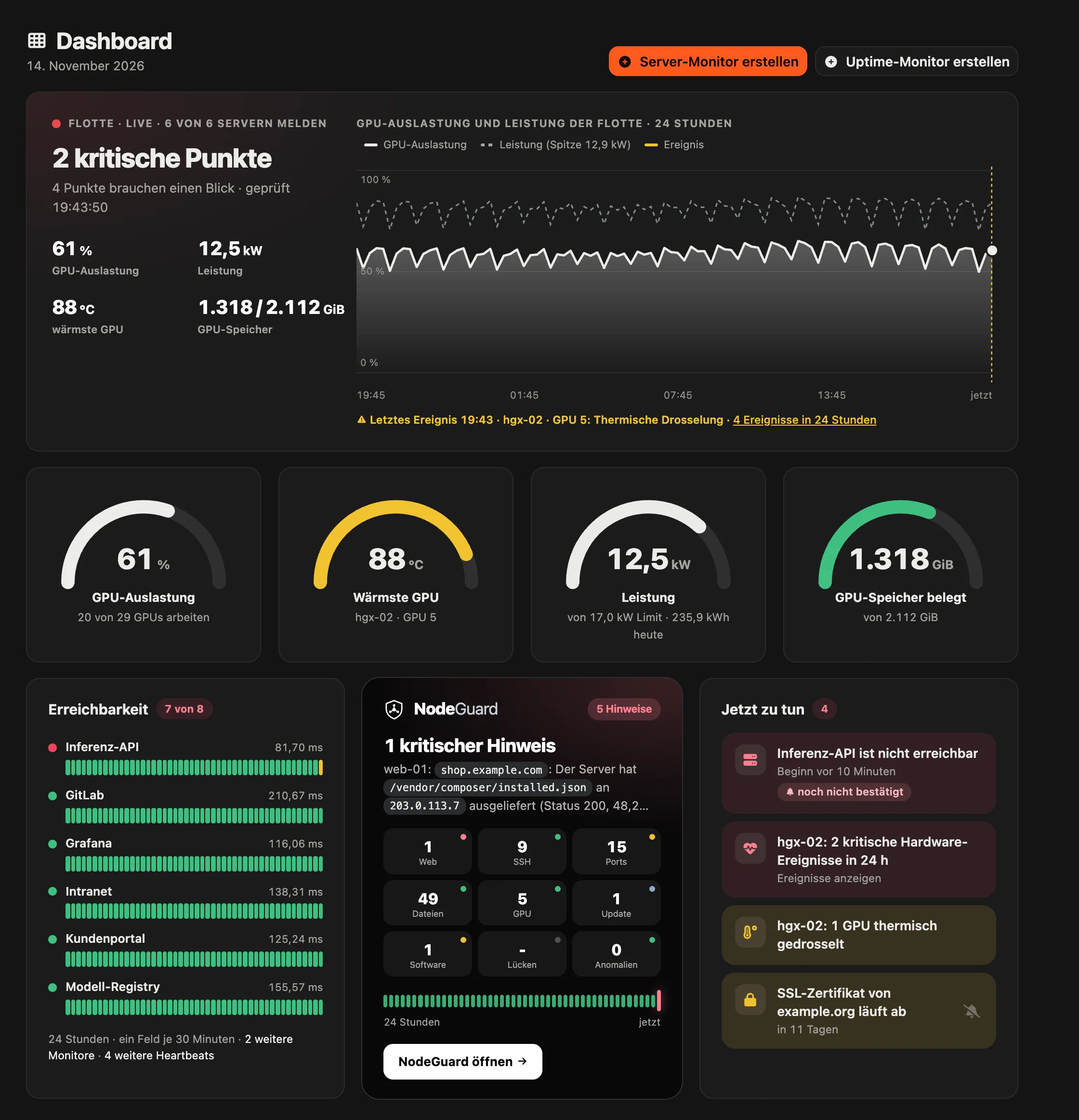
The same platform as peaknode.de, operated in your network.
Host names, internal IP addresses, utilization, processes on GPUs and hardware error messages stay in your network. There is no telemetry to PeakNode and no outbound online license check.
Uptime checks on 10.x addresses, status pages on the intranet, webhooks to internal services. In the cloud edition private targets are blocked for security reasons; on-premises they are the normal case.
Any number of server monitors, GPUs per server (up to 32 per monitor), users, status pages and notification channels. You determine the retention period of the metrics through the storage space.
You receive a ZIP with installer, database schema and default settings. The installer asks for the database and administrator account and writes the configuration. A connection to peaknode.de is not required, not even for installation. Only notification channels such as Microsoft Teams or Slack need internet access.
Updates come as a package: unpack it and open the update page as an administrator. The database migrations run automatically and are logged; configuration and uploads remain untouched.
PHP source code and agent scripts are provided in plain text. Your security department can review them before going live. The platform’s measures are listed on the security page.
| PeakNode Cloud (peaknode.de) | PeakNode On-Premise | |
|---|---|---|
| Operation | by PeakNode | on your server, by your IT team |
| Data storage | at PeakNode | exclusively in your network |
| Targets for uptime checks | publicly reachable hosts only | internal hosts and private networks too |
| Monitors, GPUs, users, retention period | according to plan | unlimited |
| NodeCare and NodeGuard | NodeCare in every plan, NodeGuard in Premium and Enterprise | both included |
| Costs | monthly or yearly according to plan | one-off license, price on request |
| Updates | automatic | as a package, installed in a single step |
| Agent | sends to peaknode.de | sends to your installation |
In both cases the agent on the monitored servers is the same readable shell script, which only sends and accepts no commands.
| Item | Content | Note |
|---|---|---|
| Installation package | application, installer with schema and default settings, agent scripts for Linux, macOS and Windows, instructions | ZIP, to be unpacked on your own web server |
| Features | uptime, server, GPU, heartbeat, DNS and domain monitoring, NodeCare, NodeGuard, status pages, incidents, notification channels, API | as on peaknode.de, the Teams feature is not included |
| Setup | remote session for installation and initial configuration with your IT team | by appointment |
| Web server | Linux with Apache or nginx, HTTPS, PHP 8.2 or newer, cron | guideline: 2 vCPU, 4 GB RAM for a few dozen servers |
| Database | MySQL 8.0 or MariaDB 10.6 or newer | empty database with utf8mb4 |
| your organization’s SMTP access for notifications | Teams, Slack, Discord and similar need outbound internet access | |
| Monitored servers | bash, curl, awk, cron; for GPU values an NVIDIA driver with nvidia-smi | the agent only sends, port 443 to your installation |
| Price | on request, one-off license, plus VAT | updates and support by agreement |
The cloud edition remains available as an alternative. Moving from the cloud to on-premises is possible: the agents are switched to the new address, and monitors and status pages are created again.
The installation itself takes about one hour.
You tell us your environment and scope (number of servers, GPUs, users) and receive a quote with the scope of delivery above.
You provide the web server. We install it together in a remote session, or your IT team installs it following the instructions, including SMTP and two-factor authentication.
One monitor per server and one line on the server. The first metrics appear within a minute.
Continue to:
PeakNode On-Premise is the same software as the cloud edition at peaknode.de, as an installation package for your own web server. All data stays in your network. NodeCare and NodeGuard are included, the Teams feature is not.
We quote the price on request. It is a one-off license plus VAT, with no recurring license fees per server. Whether and for how long updates and support are included is set out in the quote.
There is no license limit; the limit is set by your web server. Each monitor sends a small JSON report at the configured interval, and for a few dozen servers reporting every minute a small virtual machine is enough.
Yes. Title, logos, colors and custom CSS can be set in the admin area.
The agent runs via cron. For CPU, RAM, disk and GPU values a regular user with access to nvidia-smi is sufficient. For the kernel log, which contains the NVIDIA driver’s Xid error messages, and for the processes of all users, the cron job should run as root.
Yes, with the cloud edition: a free account at peaknode.de shows the features; NodeGuard is available there from the Premium plan. The on-premises installation is the same software, without the Teams feature.
Yes. Installation and operation need no connection to peaknode.de; there is no telemetry and no online license check. The servers report to your own portal in the internal network, see server monitoring. Only notification channels such as Microsoft Teams or Slack need outbound internet; emails go through your organization’s SMTP access.
Both mean that you run the software yourself instead of using it as a service. On-premises usually means operation in your own data center, self-hosted also covers a rented server or a private cloud. PeakNode On-Premise runs on your own Linux web server with PHP and MySQL or MariaDB in both cases; the requirements are in the table above.
Tell us your environment and scope: number of servers, GPUs and users. You will receive a quote with a fixed price.
Matching hardware from Nelpx: On-premises AI at Nelpx · Server colocation in Germany · AI servers for businesses